Offline checkout
Keep selling with local browser storage and recoverable backups when the connection drops.
Local-first point of sale
TandemPOS keeps checkout, products, stock, staff time, payroll, and financial records close to the register. Manage your account, learn the system, or prepare a sample catalog in the public demo workspace.
The demo uses temporary catalog data only. Subscription status is checked online; customer register records stay on each register.
Try it right now
No install, no sign-up — tap items to build a sale and watch the totals update live. This is the same checkout flow your cashiers will use every day.
One workspace
Designed for quick cashier flows, careful records, and owners who need clear reports from each independent device.
Explore all featuresKeep selling with local browser storage and recoverable backups when the connection drops.
Receive stock, track locations, process returns, and keep transaction history searchable by date.
Manage staff access, shifts, hours, payroll adjustments, and review.
Review sales trends, payment methods, financial statements, receivables, payables, and account logs.
See the workflow
These previews use the same labels and flows as TandemPOS so a new owner can understand the day-to-day experience in seconds.
See all screensOwners can lock a device with a PIN so cashiers see checkout, products, history, returns, drawer, receivables, hardware, and backup tools while owner pages stay out of the way.
Try the cashier sample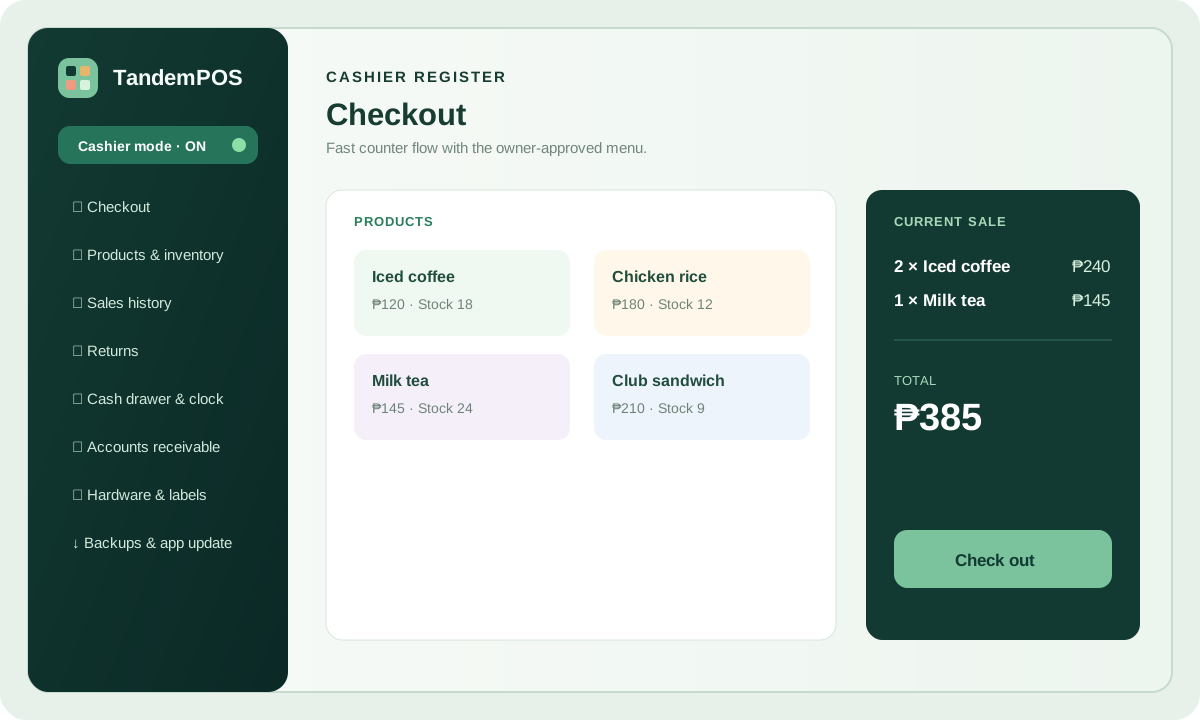
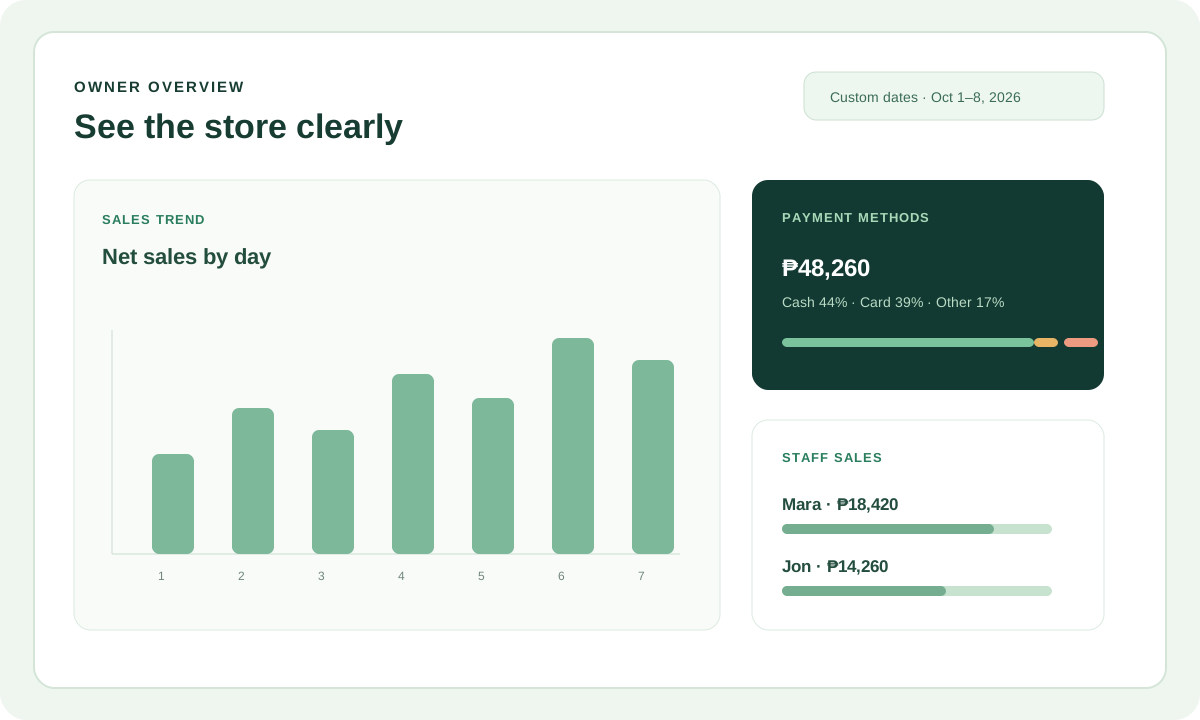
Bar charts, payment methods, staff sales, and custom date ranges help owners act quickly.
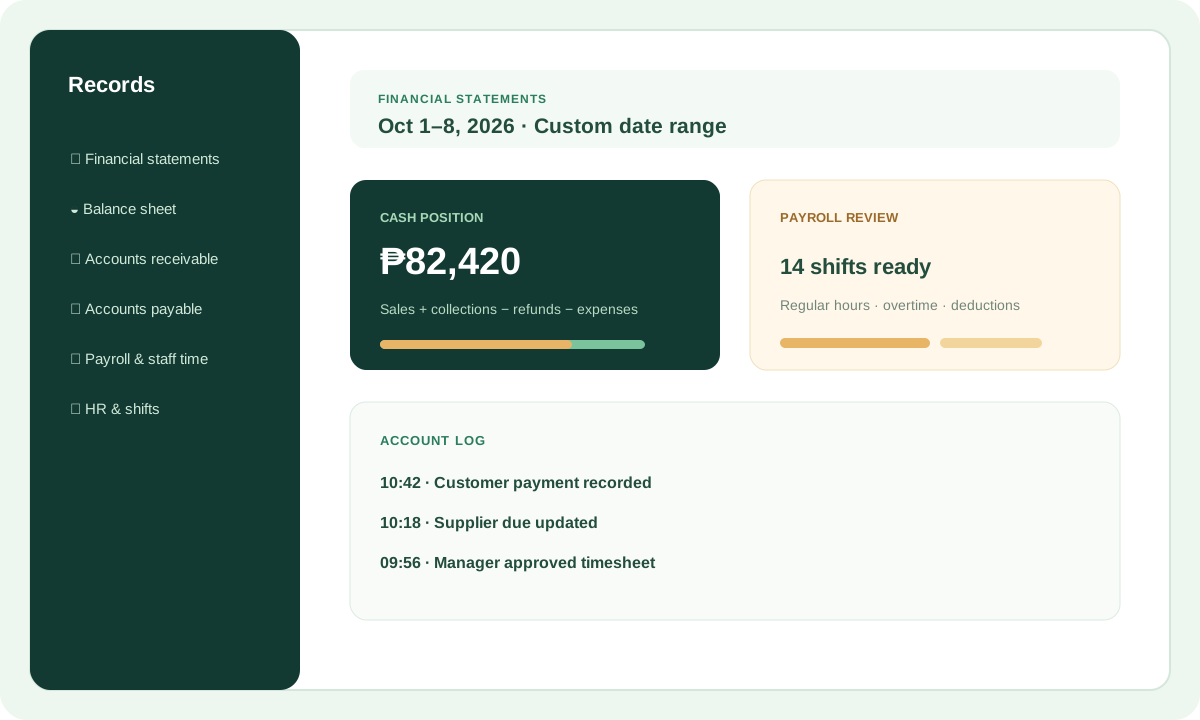
Financial statements, receivables, payables, account logs, and payroll review live in their own clear pages.
Downloads
Android and Windows installers, fingerprint-checked before saving. Your records stay on the device — TandemPOS never keeps a cloud copy of your transactions.
All downloads & hardwareThe production-signed installer for Android tablets and phones.
Get the Android appFile fingerprint checked · keep a backup before updatingThe Windows installer for a full counter PC or tablet.
Get the Windows appReview build · clearly labelled · signed release pendingBuild an item catalog in the browser and download an encrypted restore point for the installed app.
Open menu builderNo transactions and no business data uploadKeep exploring
Simple pricing
Start with a free seven-day trial — no card needed. Paid plans bill monthly in US dollars through PayPal, and every device keeps its own sales, stock, staff, payroll, reports, and backups.
Plan details & questionsOne register for a single Windows PC or Android tablet.
Up to three independent registers, each with its own records.
Up to six authorized Windows PCs or Android tablets.
Prices in USD, billed monthly through PayPal · Try the demo workspace · Manage your subscription
Learn with TandemPOS
These narrated slideshow tutorials use real TandemPOS screens to guide you through common store tasks.
View all 12 tutorials & manualsFollow the product catalog, stock receiving, checkout, staff, hardware, and backup setup.
Search or scan items, review totals, record payment, and check Sales history.
Reconcile payments, review the day, and create a fresh backup.
Loved by store owners
"Our internet goes down almost every afternoon. Before TandemPOS we had to shut the register — now we just keep selling and it syncs nothing we don't want it to."
"I was worried tablets would merge all their sales into one mess. They don't. Each tablet backs up its own data — exactly what I needed for three separate counters."
"Setup took ten minutes. The free trial meant I could test everything before paying — and $5 a month for one register is less than a cup of coffee here."
Ready when you are
Start the free seven-day trial — no card needed — or check your subscription from your account page.