CASHIER MODE
A calmer counter for every shift.
Owners can lock a device with a PIN so cashiers see checkout, products, history, returns, drawer, receivables, hardware, and backup tools while owner pages stay out of the way.
Try the cashier sample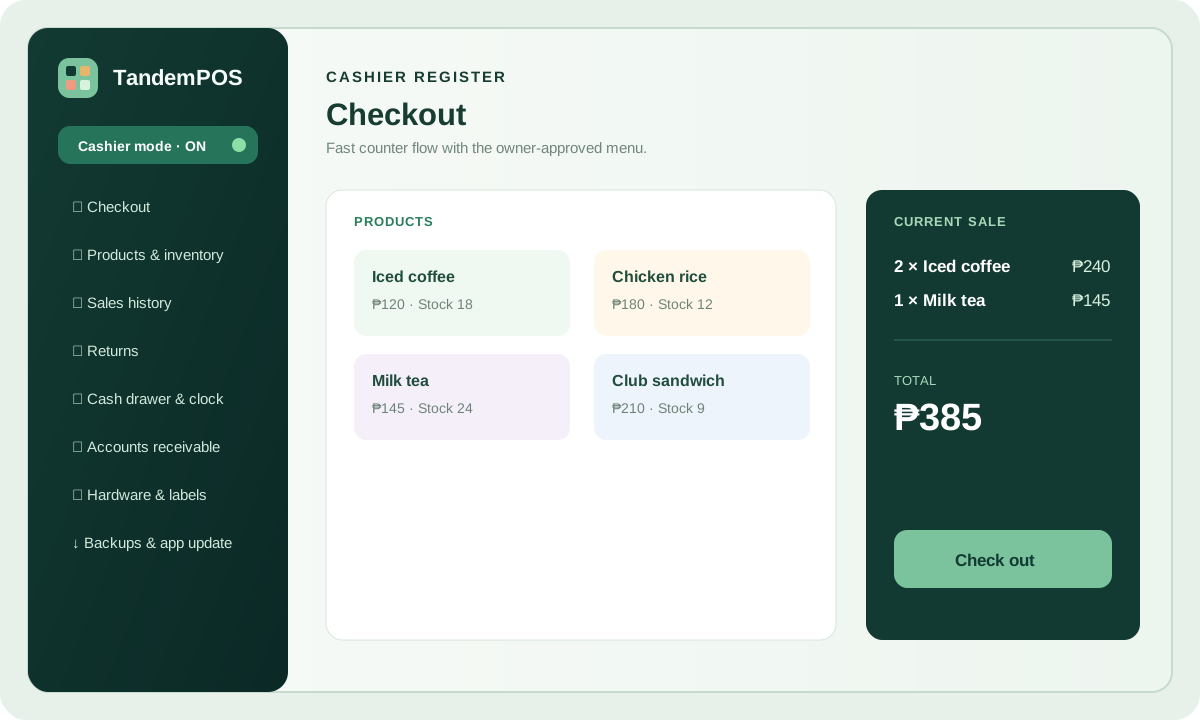
Product tour
TandemPOS brings checkout, products, stock, staff time, payroll, hardware, and owner reports into one local-first workspace. Each register keeps its own records on your own device, and your account manages devices and subscription from one place.
See the workflow
These previews use the same labels and flows as TandemPOS so a new owner can understand the day-to-day experience in seconds.
Try the interactive cashier sampleOwners can lock a device with a PIN so cashiers see checkout, products, history, returns, drawer, receivables, hardware, and backup tools while owner pages stay out of the way.
Try the cashier sample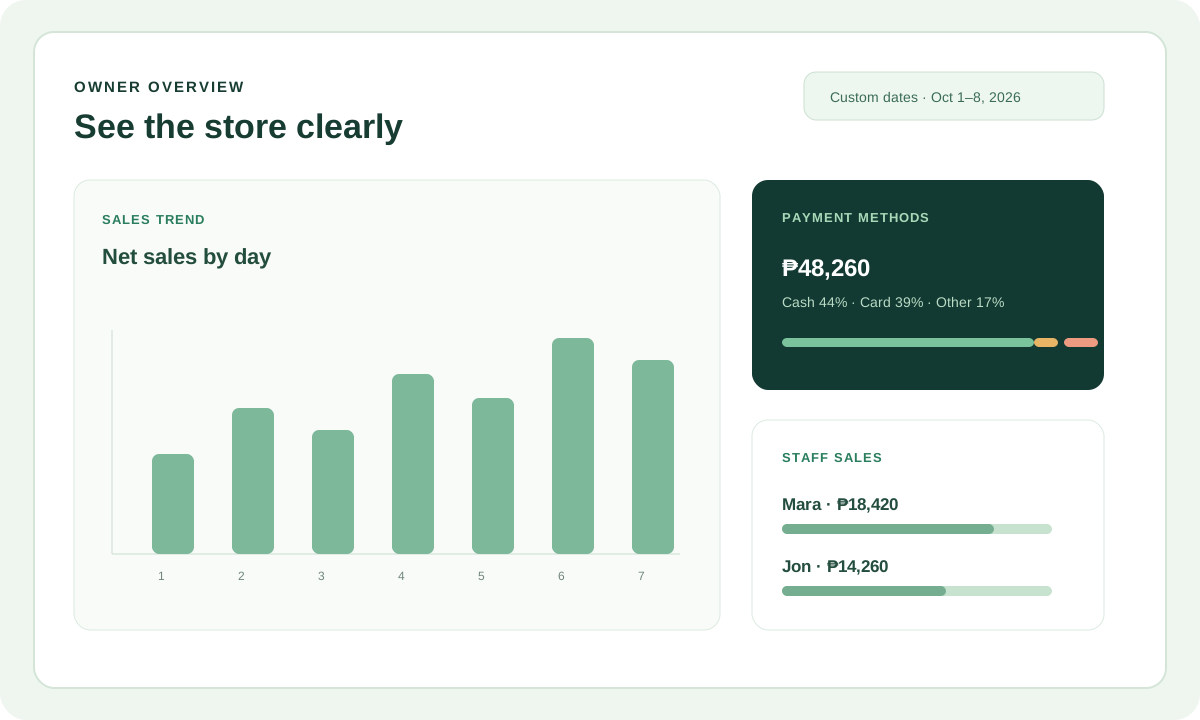
Bar charts, payment methods, staff sales, and custom date ranges help owners act quickly.
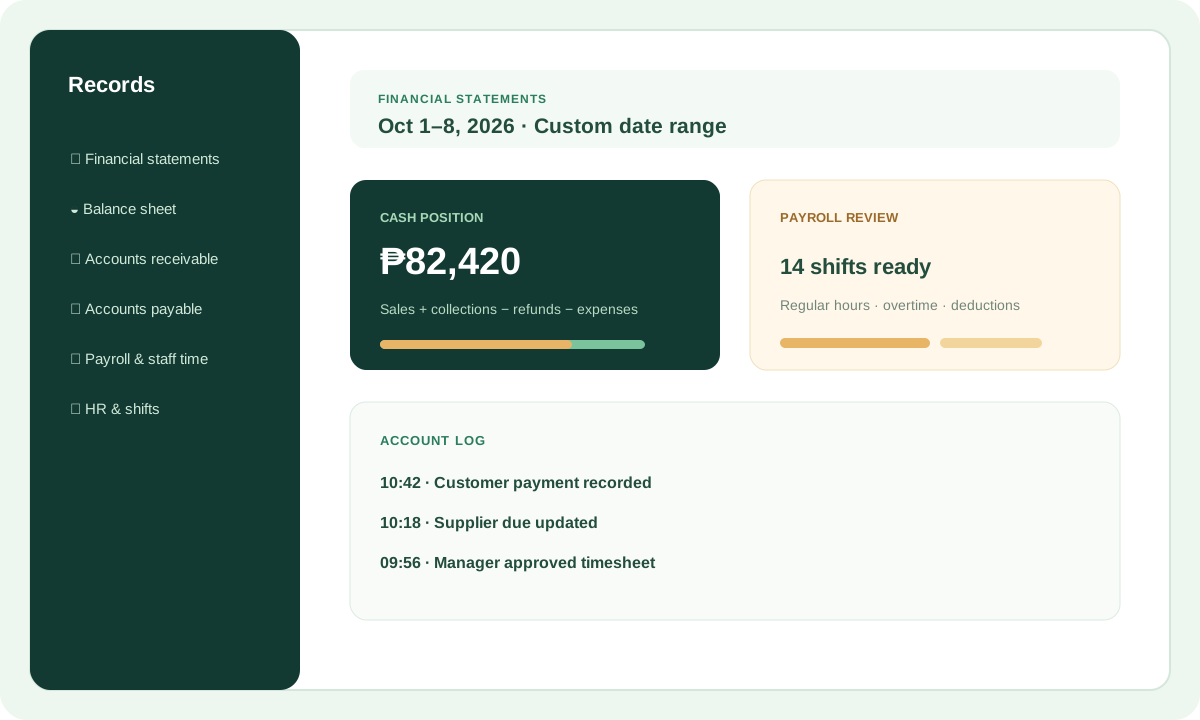
Financial statements, receivables, payables, account logs, and payroll review live in their own clear pages.
One workspace
Every area below works without an internet connection. Nothing is hidden behind an upgrade — each plan includes the complete toolset.
Built for a busy counter where the customer is already waiting.
Prepare the catalog in the demo, then carry it into the installed app.
Give staff their own access and keep review in the owner pages.
Clear summaries generated from the same local records you already keep.
Encrypted backups you control, stored wherever you keep files.
Device management lives in My Account — no support ticket needed.
How the pieces connect
Checkout, product lookup, sales history, returns, the cash drawer, and the clock — reachable in one tap, on a screen simple enough for a new hire on day one. Owner-only pages stay hidden behind the PIN.
Sales totals, payment methods, staff performance, and stock changes roll up automatically from the same device — no uploads, no exports to a spreadsheet, no waiting for a connection. Close the drawer, review the day, make a fresh backup.
The TandemPOS direction
Our goal is to help independent stores keep selling and keep their records under their own control, even when the connection is unavailable.
Keep products, sales, stock, staff, and accounting records on the store device.
Move a catalog or full workspace with clear restore files when a device changes.
Build clearer sales, financial, payroll, and multi-store summaries without hiding local history.
Continue improving hardware setup, guided learning, staff workflows, and store-to-store tools.
Keep exploring
Ready when you are
Start the free seven-day trial and activate your first register from your account page.